প্রেমিকা চমকে উঠবে 😱


Using text repeater apps is simple and straightforward. These apps allow you to repeat any text multiple times, which is useful for various purposes like spamming (in a fun context), or quickly generating repeated patterns. Here's a general guide on how to use them:


(Steps to Use Text Repeater Apps)

1.Download and Install the App:

   - Search for a "Text Repeater" app in the app store (Google Play, Apple App Store).

   - Install the app on your device.


2.Launch the App:

   - Open the installed app.


3.Enter the Text:

   - You’ll see a field to enter the text you want to repeat. Type in the word, phrase, or sentence you need to repeat.


4.Select the Number of Repetitions:

   - There’s usually an option to choose how many times you want the text repeated. Adjust the number according to your preference (e.g., 10 times, 100 times, etc.).


5.Set the Separator (Optional):

   - Some apps allow you to choose a separator between repetitions. For example, you can use a space, comma, or line break to separate repeated text.


6.Generate the Repeated Text:

   - After configuring the text and repetition settings, hit the “Repeat” or “Generate” button. The app will display or copy the repeated text for you.


7.Copy or Share the Repeated Text:

   - You can copy the repeated text to your clipboard or share it directly through messaging apps, social media, etc., depending on the app’s options.


Additional Features in Some Apps:

-Text Mirroring or Reverse Text: Some apps also allow you to reverse the text or mirror it.

- Random Text Generation: Some apps can generate random words or characters along with repeating text.

- Emojis and Symbols: You can often repeat emojis or special characters, making it useful for fun social media posts.

এই Apps সকল স্টুডেন্টদের ফোনে থাকা উচিত


To use "ChatGPT", follow these simple steps:


1.Access the Platform:

   - You can use ChatGPT via different platforms, such as:

     - OpenAI's official website (chat.openai.com)

     - Mobile apps (like the ChatGPT Android app)

     - Integrated in other platforms (like Slack or Microsoft Teams)


2.Start a Conversation:

   - After accessing the platform, you'll find a chat interface.

   - Type your question or message in the chatbox and press "Enter."


3.Communicate Clearly:

   - Be clear and concise in your requests. You can ask for:

     - Information

     - Assistance with tasks (e.g., writing, research, coding)

     - Creative suggestions (e.g., story ideas, designs)


4.Provide Context (if necessary):

   - If your question involves complex topics, provide additional context to help ChatGPT give a more accurate response.


5. Ask Follow-up Questions:

   - You can ask follow-up questions if the initial response isn't clear or if you need more details.


6.Review Responses:

   - Read and review the response. If it's not what you need, ask for clarification or adjust your question.


7.Experiment with Prompts:

   - You can try different types of prompts. For example:

     - "Help me write a blog post on..."

     - "Summarize the key points of..."

     - "What are the benefits of..."

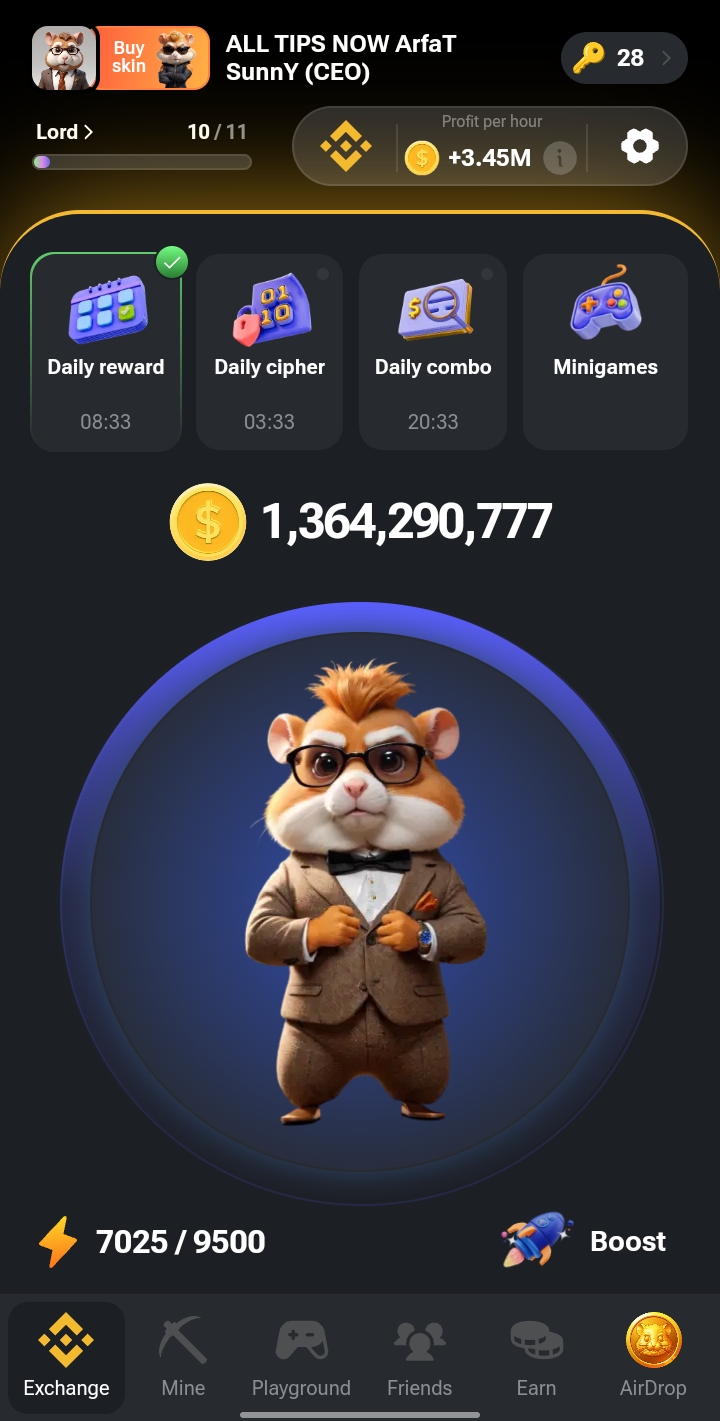
Hamster Kombat 26 September Listing


Since there doesn't seem to be any widely known or established game called **Hamster Kombat**, it might be a niche or community-driven game. However, based on the title, it could involve hamsters battling in some sort of combat or competition.


If this is an online or indie game, it may feature mechanics like:


1. **Character Selection**: Choose different types of hamsters with unique abilities.


2. **Combat System**: Likely a simplified combat system where players control their hamster to attack, defend, and use special moves.


3. **Power-Ups**: Special items or abilities that you can collect during battle to enhance your hamster's combat effectiveness.


4. **Multiplayer or Single-player Mode**: Depending on the game, you might battle AI hamsters or other players.

TikTok Tiger Live Wallpaper Set | TikTok 4k Wallpaper


To set a TikTok video as your wallpaper on a smartphone, follow these steps:


For Android:

1.Download TikTok:

Make sure the TikTok app is installed and you're logged in.


2. Select a Video:

Find the TikTok video you want to use as your wallpaper.


3.Tap the Share Button:

On the right side of the video, tap the arrow icon (share button).


4.Choose 'Set as Wallpaper:

Scroll through the options and select "Set as Wallpaper."


5.Install the TikTok Wallpaper Plugin*:

If prompted, download the TikTok Wallpaper plugin (this may only appear the first time).


6.Choose 'Live Photo' or 'Wallpaper':

You will get an option to set the video either as a live photo or wallpaper. After selecting, the video will be set as your wallpaper.


$CATI TO BINANCE WITHDRAW


Withdrawing CATI tokens (from Catex or any other platform) typically involves a few key steps. Here's a general guide on how to do it:


1.Log into the Exchange/Wallet  

   First, log into the platform where you hold your CATI tokens (for example, a cryptocurrency exchange or wallet like MetaMask or Binance).


2.Locate Your CATI Token

   Once you're logged in, navigate to your wallet or asset section, and find the CATI token. 


3.Select 'Withdraw'

   Click on the "Withdraw" or "Send" option. This is usually visible next to the CATI token in your asset list.


4.Provide the Destination Wallet Address

   Enter the wallet address to which you want to send your CATI tokens. Make sure the destination wallet supports CATI tokens.


5.Set Network & Amount

   - Choose the correct blockchain network (usually ERC-20 or BEP-20, depending on where the CATI token is issued).

   - Enter the amount of CATI tokens you want to withdraw.


6.Confirm Transaction

   Review the transaction details (including network fees) and confirm. If necessary, complete any 2FA (two-factor authentication) required by the platform.


7.Wait for Transaction Confirmation 

   Once confirmed, the withdrawal process will start, and you’ll have to wait for the transaction to be verified by the blockchain network. This can take anywhere from a few minutes to hours, depending on the network congestion.


8.Verify the Transaction

   After the transaction is complete, you can track it using a blockchain explorer (such as Etherscan for Ethereum-based tokens) by entering the transaction ID (TXID).


Make sure you double-check wallet addresses and network settings to avoid any loss of funds.


boraborarfat@gmail.com

DNA LAUNCHER


DNA: Launcher is a customizable Android launcher designed to enhance the user experience by offering various themes, icon packs, and home screen layouts. Here's a general guide on how to use it:


1.Install DNA Launcher

   - Download and install DNA Launcher from the Google Play Store.


2.Set DNA Launcher as Default

   - After installation, press the (Home) button.

   - A prompt will ask you to choose a default launcher. Select (DNA Launcher) and tap (Always).


3.Customize the Home Screen

   - (Long Press on Home Screen:) You can add widgets, change wallpapers, or manage home screen settings by long pressing on an empty space.

   (Add Apps/Shortcuts:) Drag apps from the app drawer to the home screen to create shortcuts.


4.Access App Drawer

   - Swipe up or tap on the app drawer icon (depending on the launcher setup) to access all installed apps.


5.Themes and Icon Packs

   - Download Themes: Many themes are available in the launcher’s settings or on the Play Store. Apply them by going to the DNA Launcher settings.

   - Icon Packs: You can apply icon packs by downloading them and selecting them under the (Icons section) in the launcher settings.


6.Settings and Customization

   - Open the (DNA Launcher settings) by long pressing on the home screen or through the app drawer.

   - (Home Screen Settings:) Adjust grid size, hide apps, customize gestures, and change animations.

   - (Gestures:) DNA Launcher supports gestures like double tap, swipe, etc., for quick actions.

   - (Dock Settings:) You can customize the app dock, change its appearance, or hide it.


7. Widgets and App Shortcuts

   - DNA Launcher supports widgets that you can add to the home screen for quick access to specific app features or information.


8.Backup and Restore

   - If you customize your layout, you can back it up within the launcher settings to restore it later if you switch devices or reset your phone.


9.Performance Settings

   - You can tweak animations, speed, and transitions to improve performance or enhance visual effects.


By following these steps, you can make the most out of DNA Launcher’s customization and functionality! Let me know if you need more specific instructions for certain features.


Click To Download 👇 

মজা করার জন্য এটাই যথেষ্ট 😂 FUN


APPS DOWNLOAD 


WhatsMock অ্যাপগুলি সাধারণত নকল কথোপকথন তৈরি করতে বা চ্যাট ইন্টারফেসের মকআপ তৈরি করার জন্য ব্যবহার করা হয়, সাধারণত মজা বা মজার উদ্দেশ্যে। 


WhatsMock অ্যাপগুলি কীভাবে ব্যবহার করবেন সে সম্পর্কে এখানে একটি সাধারণ নির্দেশিকা রয়েছে:


1.WhatsMock ডাউনলোড এবং ইনস্টল করুন:


 - গুগল প্লে স্টোর বা কোনো বিশ্বস্ত অ্যাপ স্টোরে যান।


 - "WhatsMock" অনুসন্ধান করুন এবং অ্যাপটি ইনস্টল করুন।


2.অ্যাপ সেট আপ করুন:


 - ইনস্টল হয়ে গেলে অ্যাপটি খুলুন।


 - যেকোন প্রয়োজনীয় অনুমতি দিন (যেমন আপনার পরিচিতি, মিডিয়া, ইত্যাদি)।


3.একটি জাল প্রোফাইল তৈরি করুন:


 - একটি জাল পরিচিতি তৈরি করতে "প্রোফাইল" আইকনে আলতো চাপুন।


 - আপনি একটি নাম, প্রোফাইল ছবি, স্থিতি এবং অন্যান্য বিবরণ সেট করতে পারেন যা কথোপকথনে প্রদর্শিত হবে৷


4.একটি জাল চ্যাট শুরু করুন:


 - প্রোফাইল সেট আপ করার পরে, একটি নতুন কথোপকথন শুরু করতে চ্যাট আইকনে আলতো চাপুন৷


 - আপনি উপযুক্ত দিকটি নির্বাচন করে প্রেরক এবং প্রাপকের মধ্যে স্যুইচ করতে পারেন (আপনার বার্তা বনাম নকল যোগাযোগের বার্তা)।


 - আপনি চ্যাটে প্রদর্শিত বার্তাগুলি টাইপ করুন৷


৫.চ্যাট কাস্টমাইজ করুন:


 - টাইমস্ট্যাম্প, ডেলিভারি স্ট্যাটাস (প্রেরিত, বিতরণ, পড়া) পরিবর্তন করুন এবং এমনকি প্রয়োজন অনুসারে বার্তা সম্পাদনা করুন।

আপনি নকল চ্যাটে ছবি, ভিডিও বা ভয়েস বার্তাও পাঠাতে পারেন।


৬.স্ক্রিনশট নিন বা শেয়ার করুন:

একবার আপনি জাল কথোপকথন তৈরি করলে, আপনি অন্যদের সাথে ভাগ করার জন্য একটি স্ক্রিনশট নিতে পারেন।


 - WhatsMock-এর কিছু সংস্করণ আপনাকে চ্যাটটিকে PDF হিসাবে রপ্তানি করতে বা সরাসরি সামাজিক মিডিয়ার মাধ্যমে শেয়ার করার অনুমতি দেয়।


7.অতিরিক্ত বৈশিষ্ট্য:


 - গ্রুপ: একটি একক চ্যাটে একাধিক পরিচিতি যোগ করে নকল গ্রুপ চ্যাট তৈরি করুন।


 - স্থিতি আপডেট: জাল স্ট্যাটাস আপডেটগুলিও তৈরি করা যেতে পারে, যা দেখায় যে জাল পরিচিতিটি অনুমিতভাবে কী করছে৷


অস্বীকৃতি:


- হোয়াটসমক অ্যাপগুলি বিনোদনের উদ্দেশ্যে। অপব্যবহার, যেমন প্রতারণামূলক বা ক্ষতিকারক উদ্দেশ্যে, আইনি সমস্যা বা সামাজিক মিডিয়া নীতি লঙ্ঘন করতে পারে। সবসময় দায়িত্বের সাথে এই ধরনের অ্যাপ ব্যবহার করুন।


আপনার যদি নির্দিষ্ট নির্দেশের প্রয়োজন হয় বা যেকোনো পদক্ষেপ নিয়ে সমস্যায় পড়েন, তাহলে নির্দ্বিধায় জিজ্ঞাসা করুন!


boraborarfat@gmail.com